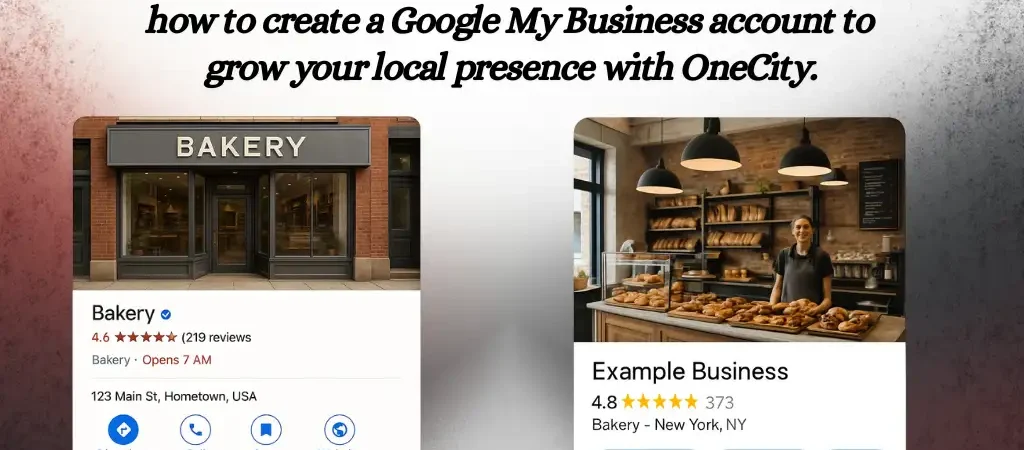
A verified Google Business Profile (GBP) is the single fastest way to appear in Google Maps and the local pack for your city. For businesses in India, where 87% of consumers use Google to find local services, an optimised profile directly determines whether someone calls you, visits your shop, or scrolls past to a competitor.
This guide walks through every step: creating your profile, choosing the right business model and categories, completing video verification (now the default method in 2026), and optimising every section so your listing ranks and converts. Each instruction reflects the current interface as of September 2026, including the April and May 2026 policy and feature changes.
I have set up and managed Google Business Profiles for 650+ clients across Bangalore, Mangalore, Mysuru, and Dubai since 2008. The steps here come from that hands-on experience, not from Google's generic help docs.
- Before You Start: Pre-Setup Checklist
- Step-by-Step: Create Your Google Business Profile
- Choosing Your Business Model (New 2026 Requirement)
- Selecting the Right Categories
- Verification Methods in 2026
- Video Verification: Detailed Walkthrough
- Completing Every Profile Section
- Photos and Videos: What to Upload and How Many
- Google Posts: Weekly Publishing Strategy
- Reviews in 2026: New Rules and Best Practices
- Ask Maps: What Replaced Q&A
- AI Summaries: How Google Now Describes Your Business
- Reading Your Performance Insights
- 12 Mistakes That Get Profiles Suspended
- India-Specific Tips
- Multi-Location Setup
- Frequently Asked Questions
Before You Start: Pre-Setup Checklist
Complete these checks before touching Google's interface. Skipping them causes the most common setup failures.
| Check | Why It Matters | How to Do It |
|---|---|---|
| Search your business on Google Maps | A listing may already exist from user submissions or past owners | Search your exact business name + city. If found, claim it instead of creating a duplicate. |
| Prepare a business Gmail account | Personal Gmail accounts create access problems when employees change | Use yourname@yourdomain.com or create a dedicated business@yourdomain.com Gmail/Workspace account |
| Confirm your NAP details | Name, Address, Phone must match exactly across your website, social profiles, and directories | Write your NAP once and copy-paste it everywhere. Inconsistencies delay verification. |
| Prepare business photos | Profiles with 100+ photos get 520% more calls than those with few | Take 10-20 photos: exterior (with signboard), interior, team at work, products/services |
| Check your signage | Video verification requires visible exterior signage matching your business name | If your sign is missing or doesn't match, fix it before starting verification |
| Gather your business documents | Video verification may ask for proof of management | Keep your shop licence, GST certificate, or utility bill accessible |
Step-by-Step: Create Your Google Business Profile
Step 1: Go to business.google.com
Open business.google.com in your browser. Sign in with your business Google account. If you see existing listings tied to this account, click “Add new business profile” instead.
Step 2: Enter your business name
Type your exact registered business name. Do not add keywords, city names, or descriptions. “Sharma Electronics” is correct. “Sharma Electronics — Best Electronics Shop in Bangalore” will get flagged and potentially suspended.
Why this matters in 2026: Google's suspension activity hit record levels this year, with keyword-stuffed business names being the number-one trigger. Use your name as it appears on your signboard and legal documents.
Step 3: Select your business model
This is a new mandatory step added in 2026. Google now asks you to classify your business model before proceeding. See the Business Model section below for detailed guidance.
Step 4: Choose your primary category
Your primary category is the strongest ranking signal in local search. Search for your specific service — Google offers 4,000+ categories. Pick the most specific one that matches your main service. See the Categories section below for strategy.
Step 5: Add your address or service area
Storefront businesses: Enter your complete physical address. In India, include the floor/suite number, building name, and landmark for accurate pin placement on Maps.
Service-area businesses (plumbers, electricians, caterers): Skip the street address and define the areas you serve by city, district, or pin code radius. You can set up to 20 service areas.
Step 6: Enter contact information
Add your primary phone number (the one customers should call) and your website URL. Use a local phone number with area code rather than a toll-free number — local numbers rank better in local search and build trust.
Step 7: Verify your business
Google will present available verification methods. In 2026, video verification is the default for most new profiles. See the Verification section for the complete process.
Choosing Your Business Model (New 2026 Requirement)
Google added a mandatory business-model classification in 2026. Selecting the wrong option can prevent verification or trigger future suspension. Here is what each option means:
| Business Model | Definition | Examples | What Google Shows |
|---|---|---|---|
| Physical location | Customers visit your premises | Restaurant, retail shop, clinic, salon | Full address on Maps with pin |
| Service-area business | You travel to customers | Plumber, caterer, pest control, mobile mechanic | Service area shown; no street address visible |
| Hybrid (both) | Customers visit AND you travel to them | Bakery with delivery, clinic with home visits | Address shown + service area defined |
| Unstaffed facility | Location exists but has no permanent staff | ATM, vending machine location, parking lot | Pin on Maps; limited profile features |
| Online-only | No physical presence at all | E-commerce store, SaaS company, freelancer | No Maps pin; limited local visibility |
Common mistake in India: Freelancers working from home select “Online-only” to avoid showing their home address. The better option is “Service-area business” — it hides your street address while keeping you visible in local search for your service areas.
Selecting the Right Categories
Your primary category is the single strongest ranking lever in local search. Google offers 4,000+ categories, and picking the right one often determines whether you appear in the local 3-pack or not.
How to Choose Your Primary Category
- Search your main keyword on Google Maps. Note which category the top 3 results use (visible in their profile).
- Pick the most specific category available. “Ayurvedic Clinic” ranks better than “Clinic” for ayurvedic searches. “South Indian Restaurant” outranks “Restaurant” for regional food queries.
- Match what customers search for, not what you call yourself. If customers search “dentist” and you call yourself an “oral health centre,” pick “Dentist” as your category.
Secondary Categories
You can add up to 9 secondary categories. Add them when they represent services you genuinely provide. A dental clinic might add: Cosmetic Dentist, Orthodontist, Teeth Whitening Service. Do not add categories for services you refer out.
| Business Type | Recommended Primary Category | Useful Secondary Categories |
|---|---|---|
| Digital marketing agency | Internet marketing service | SEO company, Web designer, Marketing agency, Social media agency |
| Multi-cuisine restaurant | Restaurant | Indian restaurant, Catering service, Bar & grill |
| Physiotherapy clinic | Physical therapy clinic | Rehabilitation centre, Sports medicine clinic |
| Real estate agent | Real estate agent | Property management company, Real estate consultant |
| Coaching centre | Tutoring service | Educational institution, Test preparation centre, Training centre |
Verification Methods in 2026
Verification has changed significantly. Postcard verification was largely deprecated in 2025. Video verification is now the default for most new listings. Here are the available methods as of September 2026:
| Method | Timeline | Availability | Requirements |
|---|---|---|---|
| Video verification | 3-5 business days review | Default for most new listings | Walk-through video showing signage, interior, proof of management |
| Live video call | Instant (during call) | Offered to some businesses | Google rep guides you through showing signage and workspace live |
| Phone call | Instant | Established, unclaimed profiles | Automated call to your listed phone number with a code |
| SMS | Instant | Some businesses | Code sent via text to your listed mobile number |
| Near-instant | New option in May 2026 | Verification code sent to your WhatsApp number | |
| Minutes | Some businesses | Verification link sent to your business email | |
| Instant verification | Immediate | Very rare | Automatic if Google already has strong data about your business |
Important: You cannot choose your verification method. Google determines which options to show based on your business type, category, and existing data. Most new businesses in India will see video verification as the primary or only option.
Video Verification: Detailed Walkthrough
Since most Indian businesses will go through video verification, here is exactly what to record and what to avoid.
What Your Video Must Show
- Exterior signage. Walk up to your business from the street. Show the signboard with your business name clearly readable. The name must match your GBP listing exactly.
- Street context. Pan to show the street name sign, nearby landmarks, or building number that confirms your address.
- Entry and interior. Walk through the door into your workspace. Show the reception, workspace, or shop floor.
- Proof of management. Show that you have access to non-public areas: open a locked door, show an employee area, or display your business licence/GST certificate on the wall.
- Equipment or inventory. Show tools, equipment, inventory, or anything that confirms you actually operate the business you claimed.
What to Avoid in Your Video
- Do not show customer faces or personally identifiable information
- Do not show computer screens with sensitive data
- Do not narrate — Google reviews the visual evidence, not audio
- Do not use edited, filtered, or stitched-together clips
- Do not record in poor lighting or with a shaky camera
Video Specifications
| Duration | 30-60 seconds (30 seconds minimum) |
| Resolution | 720p minimum (1080p recommended) |
| Orientation | Landscape or vertical accepted |
| Recording | Single continuous take — no cuts or edits |
| Review time | 3-5 business days after submission |
India-specific tip: Many businesses in commercial complexes in cities like Bangalore, Hyderabad, and Chennai share building signage. If your business name is on a directory board inside the building, start your video from the building entrance showing the directory, then walk to your specific office/shop.
Completing Every Profile Section
A verified profile with empty sections is a wasted opportunity. Google's data shows that complete profiles are 70% more likely to attract location visits. Here is what to fill in and how:
Business Description (750 characters max)
Your description does not directly affect rankings but appears in your profile and influences AI-generated summaries. Write it for the customer, not for Google.
Template: [What you do] + [Who you serve] + [Where you operate] + [What makes you different] + [How long you have been doing it]
Example: “OneCity Technologies provides SEO, Google Ads management, and website development for small and medium businesses across Bangalore, Mangalore, and Mysuru. Founded in 2006, we have helped 650+ businesses improve their search visibility and generate qualified leads through data-driven digital marketing.”
Services and Products
List every service with a specific description and price (or price range). In 2026, your product catalogue feeds into AI-generated Maps summaries, so detailed entries get you better representation in AI results.
| Section | What to Include | Impact |
|---|---|---|
| Services | Each service with description, price range, and category | Helps match your profile to specific search queries |
| Products | Individual items with photos, pricing, and CTAs | Feeds into AI-generated Maps summaries |
| Business hours | Regular hours + special hours for holidays | Affects whether Google shows you as “Open now” |
| Attributes | Wi-Fi, wheelchair accessible, women-led, veteran-led, etc. | Matches filter searches and highlights in profile |
| Appointment URL | Direct booking link (Calendly, Zoho Bookings, etc.) | Adds “Book” button to your profile |
Photos and Videos: What to Upload and How Many
Photos are the highest-impact free optimisation you can make. The data is clear:
- Profiles with 100+ photos receive 520% more phone calls
- Profiles with 10+ photos get twice as many customer actions
- Photo uploads of 4-6 per month maintain engagement signals
Photo Categories to Cover
| Category | Minimum Count | What to Show |
|---|---|---|
| Exterior | 5 photos | Building from multiple angles, signage, street view, parking area |
| Interior | 5 photos | Reception, workspace, meeting rooms, waiting area |
| Team | 3 photos | Staff at work (with consent), team photos |
| Products/Services | 5 photos | Menu items, services being performed, finished work |
| Videos | 2 videos | 30-second walkthrough, service demonstration (720p+) |
Ongoing cadence: Upload 4-6 fresh photos monthly. Google's algorithm favours profiles with recent media activity. Set a monthly reminder to photograph new products, events, team activities, or seasonal decorations.
Google Posts: Weekly Publishing Strategy
Google Posts appear directly in your profile and the Maps app. They do not directly boost local pack rankings, but businesses posting 2-3 times weekly see 34% higher engagement than those posting monthly.
Post Types Available
| Post Type | Lifespan | Best Use |
|---|---|---|
| What's New | 7 days | Regular updates, tips, behind-the-scenes, announcements |
| Events | Until event date passes | Workshops, sales events, webinars, grand openings |
| Offers | Until expiry date | Discounts, promotions, seasonal deals, coupons |
Weekly Posting Template for Indian Businesses
| Day | Post Theme | Example |
|---|---|---|
| Monday | Tip or how-to | “3 things to check before hiring an SEO agency” |
| Wednesday | Service spotlight or case result | “How we helped a Koramangala bakery rank #1 for 'birthday cakes near me'” |
| Friday | Behind-the-scenes or team | “Our design team reviewing the new landing page for [client]” |
New in April 2026: Google added post scheduling capability with multi-location publishing. You can now schedule posts in advance rather than publishing them manually each day.
Reviews in 2026: New Rules and Best Practices
Google overhauled its review policies in April 2026. Several common practices are now explicitly banned. Understanding what changed prevents suspensions.
What Google Banned in April 2026
| Banned Practice | What It Means |
|---|---|
| Staff review quotas | You cannot require employees to collect a certain number of reviews per week/month |
| Employee name solicitation | Asking customers to mention a specific employee's name in reviews is classified as “Rating Manipulation” |
| In-store review kiosks | Shared tablets or kiosks for on-site review collection are banned |
| Review incentives | Discounts, freebies, or loyalty points in exchange for reviews are prohibited |
| Pre-screening customers | Asking “was your experience good?” before sending a review link is considered gating |
What Google deployed: Gemini-powered pre-publication scam detection now catches fake reviews before they go live. Google blocked or removed 292 million policy-violating reviews in 2025 alone.
What Still Works for Getting Reviews
- Send a direct review link via SMS or WhatsApp after service completion (no pre-screening)
- Add a “Review us on Google” link to your email signature and invoices
- Train staff to verbally mention “We'd appreciate your feedback on Google” without pressure
- Respond to every review (positive and negative) within 48 hours
Impact data: Businesses responding to reviews earn 35% more revenue. 88% of consumers are more likely to choose businesses that respond. Aim for 2-5 new reviews per week — review velocity now outweighs total review count in ranking influence.
New in May 2026: Review replies now enter a moderation queue before publishing publicly. Expect a short delay between writing your reply and it appearing on your profile.
Ask Maps: What Replaced Q&A
Google's Q&A feature was removed in late 2025. It was replaced by Ask Maps, a Gemini-powered AI tool that generates real-time answers about your business using data from your profile, reviews, photos, and website content.
What This Means for Your Business
- You can no longer seed FAQs manually in Q&A
- Ask Maps pulls answers from your profile, reviews, posts, products, and your website
- The quality and specificity of your profile data directly controls what Ask Maps tells potential customers
- Thin or outdated profiles get vague, unhelpful AI-generated answers that may lose you customers
How to Influence Ask Maps Answers
- Keep your services section detailed and current. List every service with specific descriptions and pricing.
- Respond to reviews with useful details. When replying to a review about parking, mention “We have free parking for 10 cars behind the building” — Ask Maps can pick this up.
- Add structured FAQ content to your website. Ask Maps cross-references your website, so a well-structured FAQ page on your domain feeds accurate answers.
- Update your business hours and special hours promptly. “Are they open on Sunday?” is a common Ask Maps query.
AI Summaries: How Google Now Describes Your Business
Google Maps now displays AI-generated summaries drawn from your reviews, posts, products, and web content. These summaries appear when users view your profile and influence their decision to contact you.
| What Feeds AI Summaries | How to Optimise |
|---|---|
| Customer reviews | Encourage detailed reviews mentioning specific services, not just star ratings |
| Google Posts | Write posts with specific details about your services, not generic marketing copy |
| Product/service listings | Use descriptive titles and accurate pricing for each item |
| Your website content | Structured, specific content on your site feeds better summaries than vague marketing copy |
| Business description | Write facts about what you do and who you serve, not superlatives |
Key insight: AI summaries favour specificity and grounded content over marketing language. “We provide root canal treatment starting at ₹3,000” generates a better summary than “World-class dental solutions for your smile.”
Reading Your Performance Insights
The Performance tab in your GBP dashboard shows how people find and interact with your profile. In 2026, Google added AI surface attribution — you can now see which impressions come from the classic Maps panel, AI-generated summaries, and Google AI Overviews separately.
Key Metrics to Monitor Monthly
| Metric | What It Tells You | Healthy Benchmark |
|---|---|---|
| Total searches | How often your profile appeared in search results | Varies; track month-over-month growth |
| Direct vs. Discovery | People searching your name vs. finding you through category searches | Higher discovery % = good SEO; 60-80% is typical |
| Website clicks | Clicks from your profile to your website | 4-7% of profile views |
| Phone calls | Taps on your phone number from the profile | 5-8% of profile views |
| Direction requests | People asking Google Maps for directions to your location | 3-5% of profile views |
| AI surface impressions (new) | How often your profile appears in AI Overviews and Maps AI summaries | Growing metric; track trend rather than absolute number |
12 Mistakes That Get Profiles Suspended
Google's enforcement in 2026 is the strictest it has been. Record suspension rates were reported this year. Avoid these specific triggers:
- Keyword-stuffing your business name. “Best Dentist in Bangalore — Dr. Sharma Dental Clinic” triggers immediate review. Use your legal business name only.
- Using a virtual office or co-working address. Google cross-references addresses. Shared addresses with multiple GBP listings get flagged.
- Creating duplicate listings. One business = one listing. Multiple listings for the same business at the same address will all be suspended.
- Editing your profile during verification. Any changes during the verification review period can reset progress or trigger extra scrutiny.
- Choosing the wrong business model. Selecting “Online-only” when you have a physical presence prevents local search visibility.
- Inconsistent NAP across the web. Your business name, address, and phone must match exactly everywhere — website, social profiles, directories.
- Using a P.O. Box as your address. P.O. Boxes are explicitly against Google's guidelines for storefront businesses.
- Listing services you do not actually provide. Category-service mismatches trigger manual reviews.
- Incentivising reviews. Since April 2026, Google's Gemini system pre-screens reviews. Patterns of incentivised reviews are flagged automatically.
- Using stock photos instead of real business photos. Google's image analysis detects common stock photos and may remove them.
- Neglecting your profile for months. Profile freshness window tightened to 30 days in May 2026. Inactive profiles lose ranking signals.
- Not responding to messages within 24 hours. Business Messages auto-disables if response times slip consistently, removing the messaging button from your profile.
India-Specific Tips
Setting up a GBP in India comes with nuances that guides written for Western markets miss entirely.
Address Formatting for Indian Businesses
Google's address parser struggles with Indian address formats. Follow this structure:
[Floor/Unit], [Building Name], [Street/Cross/Main], [Area/Locality], [City], [State] [PIN Code]
Example: “3rd Floor, Prestige Tower, 12th Main Road, Indiranagar, Bengaluru, Karnataka 560038”
Pin Placement on Maps
After creating your profile, check the pin location on Google Maps. In Indian cities, especially in dense commercial areas like Chickpet (Bangalore), T. Nagar (Chennai), or Ameerpet (Hyderabad), the pin often drops in the wrong location. You can adjust it manually in your profile settings under “Location on map.”
Regional Language Optimisation
If your customers search in Kannada, Tamil, Telugu, Hindi, or Malayalam, add your business name and services in those languages in your business description. Google matches regional language searches to profile content.
Festival and Holiday Hours
Update your special hours for: Diwali, Pongal/Sankranti, Ugadi, Eid, Christmas, Independence Day, Republic Day, and state-specific holidays. Indian businesses that update holiday hours avoid “permanently closed” false alarms that damage trust.
Phone Number Format
Use the format +91 XXXXX XXXXX (with country code). Avoid listing landlines without area codes. If you have a WhatsApp Business number, you can now use it as your primary contact — Google added WhatsApp button integration in April 2026.
Multi-Location Setup
If your business has multiple branches, manage them efficiently:
| Locations | Recommended Setup | Management Tool |
|---|---|---|
| 2-9 locations | Create each individually through business.google.com | Location Groups for bulk editing |
| 10-49 locations | CSV bulk upload (up to 100 locations per file) | Bulk verification available |
| 50+ locations | Business Profile API for programmatic management | API integration with custom tools |
Multi-location cadence: Monthly category audits across all locations, weekly posts per location, 24-hour review response SLA, and quarterly citation audits to catch NAP drift.
Once the profile is live, keeping it accurate takes regular work. See how our Google Business Profile management works, and how to ask for reviews within Google’s rules.
Frequently Asked Questions
Is Google My Business the same as Google Business Profile?
Yes. Google renamed “Google My Business” (GMB) to “Google Business Profile” (GBP) in 2022. The old name still appears in searches and older documentation, but the product is the same. The management URL is now business.google.com. The standalone GMB mobile app was shut down in 2025.
Can I create a Google Business Profile without a physical address?
Yes, as a service-area business. You define the areas you serve without displaying a street address. This option suits freelancers, home-based businesses, plumbers, electricians, caterers, and any business that travels to customers. Select “Service-area business” during the business model step — do not select “Online-only” unless you truly have zero physical operations.
How long does verification take in India in 2026?
Video verification review takes 3-5 business days. Phone, SMS, and WhatsApp verification are near-instant. Email verification completes within minutes. The old postcard method (which took 5-14 days in India) is largely discontinued.
What if my video verification is rejected?
Google will specify the reason: unclear signage, insufficient proof of location, or mismatch between the profile and the video. Reshoot addressing the specific feedback. Common fixes include: filming in better lighting, showing a clearer shot of your signboard, and including your GST certificate or shop licence in the frame. You can resubmit immediately after rejection.
Can I manage my profile from my phone?
Yes, through the Google Maps app (not a separate app). Open Google Maps, tap your profile icon, then select “Your Business Profile.” You can edit details, respond to reviews, publish posts, and view insights from here. The standalone Google My Business app was discontinued in 2025.
How many categories should I add?
One primary category (mandatory) and up to 9 secondary categories (optional). Add secondary categories only for services you genuinely provide. Each secondary category increases your visibility for those specific searches. But adding irrelevant categories dilutes your profile's focus and can trigger manual review.
Does Google Business Profile cost anything?
No. Creating and managing a Google Business Profile is completely free. Google earns revenue when you use Google Ads to boost your listing, but the organic profile and its features — posts, reviews, photos, insights — cost nothing. Be cautious of third-party companies that charge for “GBP setup” or “verification services” — these are free processes that anyone can do.
Written by L.K. Monu Borkala, founder of OneCity Technologies and local SEO practitioner since 2006. Based in Bangalore with clients across South India and the Middle East.