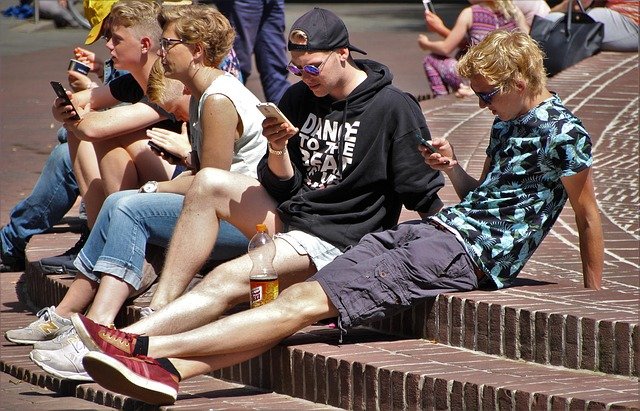
Most Mangalore business owners who come to us with website problems share a common experience. The site looks fine on their laptop. But when a customer opens it on a phone , which is how the majority of people in Mangalore browse today , the text is too small to read, the buttons are impossible to tap, and the images either overflow the screen or disappear entirely. The customer leaves. The enquiry never happens.

This is not a minor issue. It is a daily revenue leak. And for most local businesses, it is entirely fixable with a proper responsive design approach. This guide covers what responsive design actually means in practice, why it matters specifically for Mangalore businesses, and the steps involved in building or fixing a site that works on every device.
What Responsive Design Actually Means
A responsive website is not just a site that looks smaller on a phone. It is a site built with a flexible layout that automatically adjusts its structure, font sizes, image dimensions, and navigation based on the screen it is being viewed on. A three-column layout on a desktop becomes a single-column layout on a phone. Images scale proportionally. Buttons grow large enough to tap with a thumb. Text stays readable without zooming.
This is achieved through a combination of fluid grid layouts, CSS media queries, and flexible media. The end result is one website that serves every device , no separate mobile site required, no redirects, no duplicate content issues.
Why This Matters More in Mangalore Than You Might Think
Mangalore has a high proportion of mobile-first internet users. Whether it is a customer in Kankanady searching for a plumber, someone in Bejai looking for a CA firm, or a business owner in Hampankatta researching digital marketing services , the search is happening on a phone. Data from Google Search Console across the local business websites we manage consistently shows 65 to 75 percent of traffic arriving from mobile devices.
If your website is not built responsively, you are delivering a broken experience to the majority of people trying to find you. Google knows this too. Since the mobile-first indexing rollout, Google crawls and indexes the mobile version of your site first. A site that renders poorly on mobile ranks lower , even for desktop searches.
For any Mangalore business investing in SEO or digital marketing, a responsive website is not optional. It is the foundation everything else depends on.
Step 1: Start With a Mobile-First Layout
The old approach was to design a desktop website and then figure out how to make it work on mobile. This produces cramped, compromised mobile experiences. The correct approach in 2026 is to design for mobile first and then expand the layout for larger screens.
Mobile-first design forces clarity. You have limited screen space, so you have to prioritise: what does a visitor absolutely need to see first? Your phone number, your core service, your location, a clear call to action. Everything else is secondary. That discipline produces better websites on all screen sizes, not just mobile.
For a Mangalore-based business like a diagnostic centre or a real estate firm, the mobile homepage should show one primary action above the fold , book an appointment, view listings, call now , without requiring any scrolling or searching.
Step 2: Use a Fluid Grid, Not Fixed Widths
Fixed-width layouts are the main reason sites break on different screen sizes. If a column is set to 600px wide and the phone screen is 390px wide, the column overflows. The layout breaks.
Fluid grids use percentages instead of fixed pixel values. A two-column layout might be set to 50% each on desktop. On mobile, those same columns stack vertically at 100% width. The content fits regardless of screen size because the layout is proportional, not fixed.
Modern CSS frameworks like Bootstrap and Tailwind handle this automatically when used correctly. If you are building on WordPress , which powers most small business websites in Mangalore , choosing a theme built on a fluid grid is the starting point. Avoid page builders that output fixed-width inline styles, as these override responsive behaviour.
Step 3: Implement Media Queries Correctly
Media queries are CSS rules that apply different styles at different screen widths. They are what allow a navigation menu to collapse into a hamburger icon on mobile, or a four-column product grid to become a two-column grid on tablet.
Standard breakpoints used in 2026: 480px for small phones, 768px for tablets, 1024px for small laptops, 1280px and above for desktop. These are not rigid rules , the breakpoints should be set wherever your specific layout starts to break, not at arbitrary numbers.
A common mistake is setting too many breakpoints with conflicting styles. Keep it simple: define base styles for mobile, then use min-width media queries to progressively enhance the layout for larger screens. This is cleaner, easier to maintain, and produces faster-loading CSS.
Step 4: Optimise Images and Media Files
Images are the most common cause of slow mobile load times on Mangalore business websites. A homepage hero image uploaded at 4MB will load in under a second on a broadband connection and take 12 seconds on a 4G network with average signal. Most visitors leave after 3 seconds.
In 2026, the correct image format for photos on the web is WebP , smaller file size than JPEG at equivalent quality, supported by all modern browsers. Convert all JPEG and PNG images to WebP before uploading. Use SVG for logos and icons, as they scale perfectly at any size with no quality loss and minimal file size.
Implement lazy loading , images load only as the user scrolls to them rather than all at once when the page opens. WordPress supports this natively since version 5.5. Also use the HTML srcset attribute to serve appropriately sized images based on device , a mobile user does not need to download a 1920px wide image to view it at 390px.
Step 5: Test on Real Devices, Not Just Browser Tools
Browser developer tools are useful for quick checks but they do not replicate real device behaviour accurately. Touch targets that look tappable in Chrome DevTools may be too small on an actual phone. Font sizes that look readable in simulated mobile view may be too small on a real screen in bright sunlight.
Test on at least three real devices: a recent Android phone (the most common device type in Mangalore), an older mid-range Android phone (representative of a significant portion of your audience), and an iPhone. Check every page, every form, every call-to-action button. If your contact form is broken on mobile, every visitor who tries to reach you on their phone encounters a dead end.
Also test across Chrome, Firefox, and Safari. Safari on iOS has specific CSS handling differences that occasionally break layouts that work perfectly everywhere else.
Step 6: Check Core Web Vitals
Google measures page experience through Core Web Vitals optimization , three specific metrics that directly affect search rankings. Largest Contentful Paint (how long before the main content loads), Interaction to Next Paint (how quickly the page responds to user input), and Cumulative Layout Shift (how much the page jumps around as it loads). All three have target thresholds. Failing them consistently suppresses rankings.
Check your scores using Google Search Console under the Core Web Vitals report, or run a quick check at PageSpeed Insights. For most Mangalore small business websites, the common failure points are unoptimised images, render-blocking JavaScript from unused plugins, and fonts loading without a fallback. Each has a specific fix.
Common Mistakes on Mangalore Business Websites
After auditing hundreds of websites for businesses across Mangalore and coastal Karnataka, the same issues appear repeatedly. Pop-ups that cover the entire screen on mobile with no visible close button. Phone numbers displayed as plain text rather than clickable tel: links , a missed opportunity every time someone reads your number on their phone. Contact forms with input fields too small to type in comfortably on a touchscreen. Navigation menus with 12 items that collapse into an unusable stack on mobile.

None of these require a full redesign to fix. They are configuration and code issues that can be resolved in a focused audit and fix session.
When to Redesign vs When to Fix
Not every non-responsive website needs to be rebuilt from scratch. If the site is built on a modern WordPress theme or a current version of a major CMS, responsiveness issues can often be resolved through theme settings, CSS fixes, and plugin adjustments. Rebuilding makes sense when the site is built on a deprecated framework, has a fixed-width layout hard-coded throughout, or is so slow that performance fixes would cost more than a clean rebuild.
Our team at OneCity Technologies Mangalore has been building and auditing websites for local businesses since 2006. We assess the existing site first and recommend the most cost-effective path , fix or rebuild , based on what is actually there, not a default recommendation.
The Business Case Is Simple
A responsive website that loads in under 3 seconds and works correctly on every device is not a technical nicety. It is the difference between a potential customer finding your phone number and calling, or bouncing to a competitor whose site works on their phone. In a city like Mangalore where local search competition is real but not yet saturated, getting this right is one of the higher-ROI investments a business can make.
If you want a honest assessment of where your current site stands , load speed, mobile usability, Core Web Vitals, and what it would take to fix , contact OneCity. No sales pitch, just a clear picture of what is there and what it would take to make it work properly.
L.K. Monu Borkala is the founder of OneCity Technologies Pvt Ltd, a web design and digital marketing agency based in Bangalore and Mangalore with 650+ clients across Karnataka and Dubai. He has been building websites for local businesses since 2006.
Expert insight from L.K. Monu Borkala: Google’s Core Web Vitals are now a confirmed ranking signal , pages that pass all three CWV thresholds (LCP under 2.5s, INP under 200ms, CLS under 0.1) rank measurably higher than equivalent pages that fail them, according to analysis of 11.8 million pages by Backlinko and Ahrefs (Backlinko Core Web Vitals Study). For Bangalore businesses, the average mobile page load time is 5.3 seconds , more than twice the threshold at which 53% of users abandon a page (Google/SOASTA Research). OneCity’s SEO-first web design approach delivers sites that pass Core Web Vitals on first deployment, eliminating the technical debt that most Bangalore businesses accumulate with template-based designs (Google Web.dev , Core Web Vitals).
Responsive Website Design Standards for Mangalore Businesses in 2026
Responsive web design for a Mangalore business in 2026 means more than a website that rearranges itself for mobile screens. It means a website designed with the specific browsing behaviour, connectivity conditions, and trust signals of a Mangalore consumer in mind , and those specifics differ meaningfully from what works for a Bengaluru or Mumbai audience.
Mangalore consumers access the web primarily on mid-range Android devices on 4G connections that can be variable in quality, particularly in coastal areas and during monsoon season when connectivity degrades. A Mangalore business website that loads in three seconds on a high-bandwidth Bengaluru 5G connection may load in seven seconds on a Mangalore 4G connection under normal conditions. Design choices that add load time , high-resolution hero images, video backgrounds, heavy JavaScript frameworks , have a disproportionate impact on Mangalore user experience compared to Bengaluru.
The practical implication: Mangalore business websites should be designed for a 4G connection with variable quality as the baseline, not for the fastest available connection. Every image should be WebP format. Every below-fold image should use lazy loading. Fonts should be system fonts or self-hosted rather than loaded from Google Fonts on every page load. JavaScript should be deferred where possible. These performance optimisations consistently improve both PageSpeed scores and actual user experience for Mangalore consumers.
Trust Signals That Work for Mangalore Business Websites
Mangalore is a business community built on relationships and verifiable credentials. A Mangalore consumer evaluating whether to contact a service business through their website is looking for the same trust signals they would look for in a physical shop front , evidence that the business is real, established, and accountable.
The Mangalore-specific trust signals that most consistently convert website visitors into enquiries are: a physical address in Mangalore, visible and hyperlinked to Google Maps. A local Mangalore phone number, not just a national toll-free number. The business owner’s name and photograph, with verifiable credentials where applicable , a CA’s ICAI registration, a doctor’s MCI registration, a lawyer’s bar council enrollment. Customer testimonials from identifiable Mangalore businesses or individuals, with the customer’s name, company, and specific service received. For businesses registered as companies, the CIN verifiable at mca.gov.in.
For Mangalore businesses targeting both local and export markets , seafood exporters, cashew processors, garment manufacturers, and IT services companies , the website needs to serve two distinct audiences simultaneously. The local audience looks for the trust signals described above. The export audience looks for international credentials, compliance certifications, export volumes, and the ability to communicate in English at a professional standard. Responsive design for these businesses must accommodate both content requirements without making either audience feel the website is not for them.
Mobile-First Design Specifically for Mangalore Consumer Behaviour
Mangalore consumers use their mobile phones as the primary and often only device for searching, researching, and contacting local businesses. A 2025 survey of Dakshina Kannada district internet usage patterns found that over 80% of local search optimizationes for service businesses were conducted on mobile devices , a figure consistent with national TRAI data for tier-2 cities.
The practical implications for Mangalore business website design are specific. The phone number in the top navigation should be a tap-to-call link, not displayed text that requires the user to manually dial. The WhatsApp button should be sticky , visible and accessible throughout the entire page scroll without requiring the user to return to the top of the page. The contact form should be a maximum of three fields , name, phone, and message , because form completion rates drop sharply on mobile for every additional field. The Google Maps embed should load as a static image initially, with the interactive map loading only on user tap, to avoid the performance penalty of loading the full Google Maps API on initial page load.
OneCity’s Mangalore Web Design Process
OneCity’s Mangaluru office at Kankanady handles web design projects for Dakshina Kannada and Udupi district businesses. Every project starts with a site architecture discussion , how many pages are needed, what each page needs to accomplish, and what the primary conversion action is for each audience segment. We wireframe on mobile first, not desktop, because mobile is where Mangalore consumers will experience the site.
All OneCity Mangalore websites are built with WebP images, self-hosted fonts where possible, deferred JavaScript, and lazy-loaded below-fold images as standard practice. Core Web Vitals compliance is a delivery requirement, not an optional optimisation. Every site is tested on a mid-range Android device on a simulated 4G connection before delivery. OneCity Technologies Pvt Ltd. Mangaluru office: 1st Floor, Mohtisham, Emporium Complex, D.No. 16-3-138/24, Kankanady, Mangaluru 575002. +91 89044 28490. Bengaluru: +91 99023 30233. CIN: U72100KA2009PTC048911. sales@onecity.co.in.
A Real Testing Checklist, Common Failures, WhatsApp Previews, and Rebuild Costs
A proper responsive design testing checklist covers specific breakpoints rather than a vague check on one phone and one laptop. Testing at common widths, a small phone screen, a standard phone screen, a tablet in both orientations, and a standard laptop width, catches layout breaks that testing only two devices misses entirely. Many responsive design failures appear specifically in the awkward middle range between phone and tablet widths, a range casual testing frequently skips.
Common responsive design failures found repeatedly when auditing Mangalore local business sites include navigation menus that overlap page content on tablet-width screens, contact forms with fields that extend beyond the visible screen width forcing awkward horizontal scrolling, and images that load at full desktop resolution on mobile connections, needlessly slowing page load for visitors on limited data plans, which describes a meaningful share of the local customer base.
Responsive previews matter beyond the website itself, particularly for how a page appears when shared as a link preview in WhatsApp, which is how a large share of Mangalore business referrals actually travel between customers. A page with a properly configured preview image and description shows professionally when shared this way; a page without this configuration shows a broken or generic preview that undermines the credibility a personal WhatsApp recommendation was meant to build.
Comparing the cost of a responsive retrofit against a full rebuild depends heavily on how the original site was built. A site built on a modern, actively maintained platform can often be retrofitted for responsiveness at a fraction of rebuild cost, adjusting existing templates rather than replacing them entirely. A site built on outdated, custom code with no responsive foundation at all frequently costs more to retrofit than to rebuild cleanly from scratch, since patching responsiveness onto a fundamentally non-responsive structure tends to produce fragile, hard-to-maintain results.
Frequently Asked Questions
What does responsive website design actually mean?
One website that rearranges itself for every screen size, phone to desktop, instead of separate mobile and desktop sites. It has been the standard build approach for a decade.
Why does responsive design matter for Mangalore businesses?
Because most local traffic is mobile, and Google indexes the mobile version of your site first. A site that only works well on desktop is invisible in practice.
How much does a responsive website cost in Mangalore?
Simple business sites start economically; custom designs with more pages and features cost more. Ask any quote to state what is included: pages, revisions, hosting, and who owns the files.
How do I check if my current website is responsive?
Open it on your own phone and try to enquire. If you pinch, zoom, or hunt for the phone number, it fails. Google Search Console mobile reports confirm what your thumb already told you.
Can an old website be made responsive without a rebuild?
Sometimes, if the underlying structure is clean. Often a rebuild on a modern theme costs about the same as retrofitting and delivers a faster site.
L.K. Monu Borkala
Founder & SEO Director, OneCity Technologies
20 years running SEO campaigns from Bangalore. Full author profile · LinkedIn