
The history of modern web development has always been in tandem with the existence of the big technological changes, and it has gone through changes: being limited to a rigid, unchanging HTML page in the early 2000s, and currently to dynamic and interactive experiences that are driven by JavaScript, frameworks, and cloud services. However, today, there is a new change in the visual scene of the web, AI-generated visuals. AI and especially advanced generative models are re-conceptualizing the way websites are developed, branded, customized, and supported. The process that used to take hours of work by large design teams or high-priced tools can now be ideated, developed and tested through AI-driven systems. The result? More rapid design processes, customised user experiences, and a fresh creative horizon that combines human imagination and machine intelligence. This article discusses how AI-generated images are changing the contemporary web development, the possibilities they have brought, the issues they have presented, and how the future of web development and design looks to developers and designers.
What are AI Generated Visuals?
AI-generated visuals Visual assets: Visual elements generated using generative AI tools include images, illustrations, icons, user interface elements, animations, and other visual elements. These tools are based on machine learning algorithms that have been trained on large datasets to learn styles, shapes, patterns and concepts. With the help of text prompts or reference images, the users are able to create images that match certain aesthetic or functional needs. The following are some of the famous tools currently:
- Midjourney of digital art and illustrations.
- DALL-E to generate various images.
- AI-assisted UI design tools of Figma.
- Adobe Firefly as a commercial image safe generator.
- Canva AI capabilities of fast marketing images.
The fast use of these tools is a significant change in the way design work is created and incorporated in the web development processes. 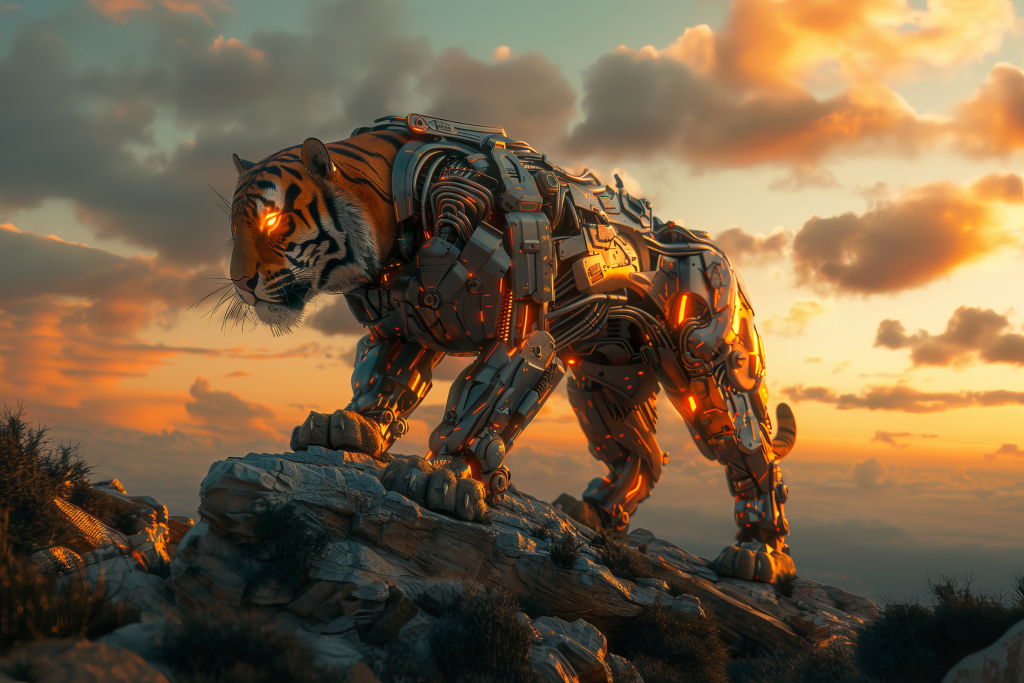
The AI-Generated Visuals are important in Web Development
-
Reduced Development and Design Cycles
Prior to the advent of AI, designers used to spend hours or more hours drawing, making mockups, and refining designs. That is dramatically accelerated by AI. Developers and designers are now able to:
- create hero pictures within minutes,
- generate vector icons in real time,
- test the layout differences in UI on-demand,
- create various design styles to A/B testing.
The speed enables groups to iterate more quickly, shortening time-to-market and allocating creative professionals more time to more advanced decisions.
-
Lower Start-up and small Business Costs
Good images normally involve costly designers or membership to high-end stock sites. AI changes this equation. Small teams can generate:
- product mockups
- landing page illustrations
- brand-consistent graphics
- social media banners
- custom icons
without having to spend huge funds. By democratizing design, even the small websites can now appear professional and well-polished.
-
Hyper-Personalization of the user
AI images have the ability to vary in real time according to:
- user behavior,
- geolocation,
- time of day,
- user preferences,
- browsing patterns.
Consider a web site that sells goods using e-commerce, and the banner picture is based on the season; a travelling site that displays customized drawings to the user depending on the region the user has visited youtube comment viewer before. These experiences may be dynamic and automated with the help of generative AI incorporated into the backend.
-
Enlarged Imaginative Potencies
The old approaches to creative processes do not restrain AI. It is capable of generating images of an abstract nature, surreal, or odd compositions. The developers and designers can have an opportunity to experiment with new artistic directions, which once were too expensive or laborious to experiment. AI will also be an imaginative collaborator–someone that proposes what would not otherwise be considered in a design context.
-
Jitterless Connection to Front-End Tools
The current development tools are progressively being integrated into AI. For example:
- UI assets may be generated by Figma plugins.
- The code editors are able to show AI generated images in preview panes.
- AI-developed elements can be incorporated in the design systems.
- With CMS platforms, AI can be used to produce featured images automatically.
This native integration implies that AI images are not implemented as a separate workflow, they belong to the set of tools of a developer.
Applications of AI-Generated Visuals in the Contemporary Websites
-
Landing Page art and Hero Banners
Hero sections are essential in attracting the attention. AI is able to produce high effects visuals that are based on the brand identity, audience interests or marketing messages.
-
Icon Packs and UI Elements
Rather than browsing stock libraries, developers have the ability to create icon sets that are an ideal color palette and style that suits a website.
-
Explainers and Illustrations
Artificial intelligence may design personalized drawings of:
- SaaS dashboards
- onboarding pages
- blog articles
- technical diagrams
The images enhance the ease of understanding by the users and the design language is united.
-
Individual User Dashboards
AI is able to paint personalized backgrounds or theme depending on the mood, role, and activity of a user.
-
Mockups and E-commerce Assets Product
E-commerce companies can be able to create instantaneously:
- lifestyle mockups
- real-world scenes
- product variant images
- ad creatives
without having to have a photoshoot.
-
Marketing and Social Media Visual
The teams are able to quickly develop campaign images, ad designs and thumbnails that are in accordance with the aesthetics of the website. The use of AI-Generated Visuals in improving youtube comment finder the user experience. 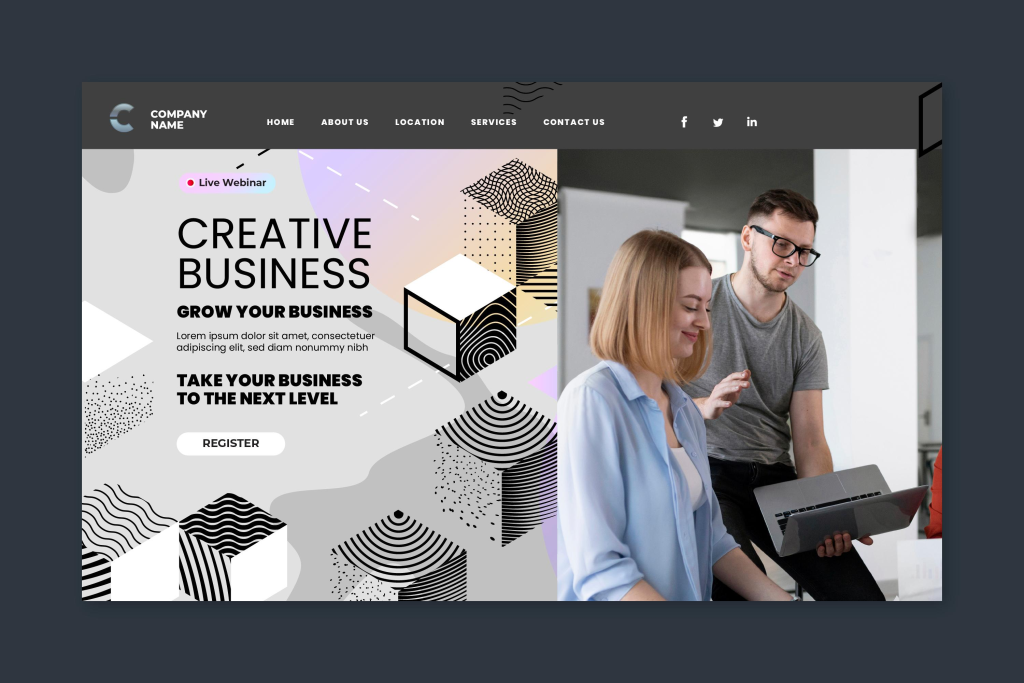
-
Consistency Do not do any additional work
AI applications support design consistency throughout the pages. As soon as a visual style is established, other assets are created automatically.
-
Less Page Weights and Optimized Assets
Recent AI technologies are able to produce images that are web-friendly. Developers can specify:
- aspect ratios
- file sizes
- resolutions
- color schemes
resulting in a quicker loading process.
-
Enhanced Accessibility
AI may be used to develop images that are visually friendly. For example:
- color-blind-friendly palettes
- simplified diagrams
- alt-text suggestions
- contrast-optimized designs
This makes it abide by the current accessibility standards.
Issues and Moral Implications
-
Copyright and Licensing Problems
Copyright is one of the greatest anxieties. There are AI tools that are trained on copyrighted image datasets. Developers must make sure:
- The AI application offers commercially safe results.
- Licensing terms are clear
- Generated content is not a copy of an existing piece of art.
Specific AI applications such as Adobe Firefly and Shutterstock AI specifically employ licensed training sets to avoid this problem.
-
Overuse of AI Art Styles
With the emergence of AI-generated aesthetics, websites can begin to resemble each other. Over-reliance on AI risks:
- generic visuals
- repetitive styles
- lack of brand uniqueness
The creative direction of human beings is important in order to uphold originality.
-
Quality Control Issues
AI visuals may sometimes:
- generate distorted objects
- misinterpret prompts
- create inconsistent styles
- fail brand guidelines
Before publication, human observation is very important.
-
Ethical Representations and Biases
Indicatively, AI models may unintentionally develop bias, such as having stereotyped images of some cultures or positions. Developers have to check images and do not put false or sensitive material on the page. 
The Future of AI-generated images in the Web.
-
Real-Time Generative Fine Arts
The second one is dynamic, AI generated images which are generated on-demand as the user interacts with the site. Imagine:
- wallpapers adapting to user mood.
- interactive illustrations which develop.
- product page image generation in real-time.
This will develop very immersive virtual experiences.
-
Complete Automated Design Systems
Auto-generations may be made by future CMS and website builders: colors
- layout templates
- images
- animations
- component styles
relied upon one brand description. The developers will be more of a director, giving clues as AI does the visual job.
-
Voice-driven design development
Rather than typing prompts, developers can use AI: Design a simple illustration of a landing page in a fintech using blue gradients. The asset is shown in the design panel with only a few seconds.
-
Aitalopa Collaborative Artificial Intelligence
AI is not going to be used to substitute designers, but rather to improve their abilities. To create more effective, quicker visual development processes, human creativity and AI efficiency will interact with each other.
Conclusion
Artificial intelligence generated images are a radical change in the contemporary web development. They enable developers and designers to create high quality custom images more quickly and at a lower cost than ever before. AI is influencing the future of beautiful, dynamic web experiences, whether it is hero images, personalized dashboards, or real-time graphics. Nevertheless, this power should not be abused, between creativity and ethical aspects, human regulation, and the brand identity should not be mixed with other brands. The combination of human imagination and digital images generated by AI is just starting its developing stage as AI goes on. Web development will become more creative, efficient and personalized in the future and AI will be in the center of it.
Related reading: Website design Mangalore | Importance of responsive web design | SEO services Bangalore


Written by L.K. Monu Borkala, Founder, OneCity Technologies (CIN: U72100KA2009PTC048911), Bangalore. 20 years in business. +91 99023 30233.
Reference sources: Google web performance standards | W3C web standards.
The State of AI-Generated Visuals in Web Projects: 2026 Reality Check
AI image generation has moved from novelty to practical tool faster than most web development services professionals expected. Midjourney, Adobe Firefly, Stable Diffusion, DALL-E 3, and Canva’s AI image tools are now part of the standard toolkit for many Bangalore web designers , used daily for concept exploration, background generation, icon sets, and decorative imagery. Simultaneously, the limitations of AI-generated visuals for business websites are becoming clearer as more sites use them and as users’ ability to recognise AI-generated content improves.
For Bangalore businesses commissioning website projects, understanding which visual applications of AI tools produce results and which produce problems is commercially valuable. The guide below is written from the perspective of a practitioner who uses AI visual tools on web projects weekly , not from the perspective of either an AI enthusiast dismissing limitations or an AI sceptic dismissing genuine utility.
Author: L.K. Monu Borkala, Founder & CEO, OneCity Technologies, 20 years in business.
Where AI-Generated Visuals Work Well in Web Projects
Background and Texture Images
Abstract backgrounds, texture overlays, geometric patterns, and gradient-based visual elements are among the highest-quality AI image generation outputs. For website sections where a visually interesting background serves an aesthetic function without needing to depict a specific subject , a hero section background, a divider element, a card background pattern , AI generation produces high-quality output at near-zero cost and with infinite variation for A/B testing.
For Bangalore web projects, AI-generated backgrounds in style categories like “subtle geometric pattern, blue and white, clean corporate tech aesthetic” or “warm watercolour texture, earth tones, professional services” produce immediately usable assets that would cost ₹2,000–5,000 from a stock library or significantly more from a graphic designer creating custom artwork.
Concept and Wireframe Visualisation
AI generation accelerates the design concept phase significantly. A web designer who previously spent 2–3 hours creating high-fidelity mockups to present a visual direction to a client can now generate 8–10 AI concept images in 20 minutes to establish the visual direction, then invest the 2–3 hours in the single approved direction rather than multiple speculative options. For Bangalore web design agencies working with multiple clients simultaneously, this concept acceleration is a meaningful productivity improvement.
Icon and Illustration Style Sets
Creating a consistent icon set or illustration style for a web project traditionally required a specialist illustrator , a significant budget item for most Bangalore SME web projects. AI tools with style consistency features (Midjourney’s –style reference, Adobe Firefly’s style matching) can generate consistent illustration sets across a project. The practical limitation: icon and illustration consistency is harder to maintain across a large set than a small one, and the style often drifts visually between the 5th and the 25th icon. Human review and selective regeneration are necessary for large illustration projects.
Mood Board and Inspiration Generation
AI generation has become the standard tool for mood board creation in Bangalore web design projects , rapidly visualising visual directions, color palettes, and aesthetic moods before any actual design work begins. Using AI to create mood boards helps designers explore a wider range of visual directions upfront, without the time cost of manually searching for reference images. A client brief described in natural language (“warm, premium, South Indian heritage, modern professional”) produces 20 mood images in minutes that the client and designer use to align on visual direction. This application produces almost entirely positive outcomes , it is low-stakes, used only internally, and replaces a time-consuming process of searching stock libraries for reference images.
Where AI-Generated Visuals Cause Problems on Business Websites
Human Photography Substitution
The most problematic application: using AI-generated images of people to substitute for actual team photography. AI-generated “people” images are recognisable to many users , the slightly uncanny quality of AI-generated human faces, hands, and backgrounds triggers distrust signals that are particularly damaging on pages where authenticity is critical: team pages, testimonial sections, about pages.
For Bangalore professional service businesses where trust is the primary conversion variable , law firms, healthcare providers, financial advisors, consulting firms , AI-generated people photography on the website actively undermines the credibility the site is trying to build. “Who are these people? They don’t look real” is the thought that precedes the bounce. Actual team photography, even amateur phone photography, produces better trust signals than polished AI-generated people imagery.
Product Imagery
AI-generated product images , particularly for e-commerce , carry significant risk. Customers who purchase based on AI-generated product images and receive a product that looks different face a trust breach that produces returns, negative reviews, and chargeback disputes. Indian consumer protection frameworks increasingly recognise misleading product imagery as a dispute basis. For any product sold online, actual product photography is non-negotiable regardless of the quality of AI generation available.
Location and Premises Photography
Bangalore businesses with physical premises , offices, shops, clinics, restaurants, manufacturing facilities , that use AI-generated “office” or “showroom” images in place of actual photographs create a specific credibility problem: customers who arrive at the physical premises and find it different from the website imagery experience a disconnect that raises questions about what else on the website is not authentic. Actual premises photography, however modest the space, is always preferable to AI-generated interiors that imply a different physical reality.
Copyright and Commercial Use Considerations
The copyright status of AI-generated images remains evolving under Indian law. The Copyright Act 1957 protects works created by human authors , whether AI-generated outputs qualify for copyright protection, and who owns that protection (the user? the platform?), has not been definitively resolved in Indian courts as of 2026. Practically:
Platform terms of service govern commercial use: Midjourney, Adobe Firefly, and DALL-E 3 all have terms of service specifying commercial use rights for subscribers. Most allow commercial use for paying subscribers; free tiers typically do not. Before using AI-generated images on a commercial website, confirm your subscription tier permits commercial use.
Brand and trademark risk: AI image generators occasionally produce outputs that closely resemble trademarked visual identities or copyrighted artwork. Using such outputs on commercial websites creates trademark and copyright infringement risk regardless of whether the AI model produced them. Review all AI-generated images for recognisable brand elements before commercial use.
Adobe Firefly advantage: Adobe’s Firefly is trained exclusively on licensed Adobe Stock imagery and public domain content , making it the lowest-risk AI image generation tool for commercial use by Bangalore businesses where IP compliance is a concern. For AI visual strategy and implementation in web projects for Bangalore businesses, contact OneCity Technologies at +91 99023 30233.
Practical AI Visual Workflow for Bangalore Web Projects
A structured workflow that integrates AI visual tools efficiently into a Bangalore web design project without the quality or copyright risks of unmanaged AI usage:
Phase 1 , Concept exploration (AI-appropriate): Use Midjourney or Adobe Firefly to generate 15–20 mood images based on the client brief. Present to client for visual direction alignment. Document the approved direction in specific, repeatable prompts. Time saved vs manual mood board assembly: 2–3 hours per project.
Phase 2 , Background and texture assets (AI-appropriate): Generate abstract backgrounds, texture overlays, and pattern elements for non-human, non-product sections. Adobe Firefly preferred for commercial use clarity. Test each output at the actual display size on both desktop and mobile before finalising. Time saved vs stock library search: 1–2 hours per project.
Phase 3 , Human and product photography (AI not appropriate): Coordinate actual photography shoot. For Bangalore businesses without existing photography, a half-day professional photography session (₹8,000–15,000) produces the authentic imagery that AI cannot replace for team, premises, and product applications.
Phase 4 , Icon and illustration elements (AI-assisted with human review): Generate base illustrations using style-locked AI prompts, then review each output individually for quality, consistency, and cultural appropriateness for Indian audiences. Regenerate any outputs showing AI artefacts, incorrect hand anatomy, or culturally incongruent visual elements.
Phase 5 , Final review for AI artefacts: Before client presentation, review all AI-generated visuals specifically for: watermarks, incorrect text in images, uncanny facial features (if any figures are present), recognisable brand or cultural elements from training data, and style inconsistency with adjacent design elements. For web projects with full AI visual strategy for Bangalore businesses, contact OneCity Technologies at +91 99023 30233.
Frequently Asked Questions
Should a Bangalore business use AI-generated images on its website?
Selectively, for appropriate use cases. AI-generated backgrounds, textures, abstract visuals, and illustration elements: yes, where the quality is good and the application does not require authentic subject matter. AI-generated people, products, premises, or team photos: no , these applications damage trust more than they save cost. The practical rule: AI visuals work where abstraction is acceptable; real photography is required where authenticity matters.
Do AI-generated images affect SEO?
Google does not currently penalise AI-generated images specifically. Standard image SEO applies regardless of whether an image was generated by AI or photographed: provide descriptive alt text, use appropriate file names, compress images to appropriate file sizes, use WebP format, and implement lazy loading for images below the fold. The indirect SEO concern: if AI imagery reduces user trust and increases bounce rate, the engagement signals that correlate with SEO performance will decline. But the AI origin of the image itself is not a ranking factor.
Which AI image tool is best for Bangalore web design projects?
For abstract backgrounds and textures: Midjourney produces the highest aesthetic quality. For style-consistent illustration sets: Adobe Firefly with Creative Cloud subscription offers the best balance of quality and commercial licensing clarity. For rapid concept exploration: Canva AI (included in Canva Pro) provides adequate quality for internal concept work at the lowest friction. For photorealistic product or location images: none of the current AI tools are appropriate , use actual photography.
How do users react to AI-generated images on Indian business websites?
Indian web users in urban markets , Bangalore, Mumbai, Hyderabad , have high exposure to AI-generated content and increasing sophistication in identifying it. The uncanny valley effect in AI-generated human imagery is particularly acute: Indian faces generated by current AI models frequently have subtly incorrect features that Indian users identify immediately. For Bangalore businesses targeting a professional audience, AI-generated human imagery creates a credibility gap that is disproportionately damaging relative to the cost saved on photography.
Frequently Asked Questions
What are some well-known AI visual generation tools?
Midjourney for digital art and illustrations, DALL-E for general image generation, Adobe Firefly for commercially safe image generation, and Canva AI for fast marketing images.
How do AI-generated visuals speed up web development?
Designers can create hero images in minutes, generate vector icons in real time, and test multiple UI layout variations for A/B testing, dramatically accelerating cycles that once took hours of manual design work.
Does AI replace human designers entirely?
Not according to this piece. It frames AI-generated visuals as combining human imagination with machine intelligence, accelerating the process rather than eliminating the creative role.