Updated on 6 October 2026
Originally published 6 October 2026
To get more Google reviews in India, ask every customer after the service is done, send them your Google review link or a QR code on WhatsApp, reply to every review, and never offer a reward. Google bans paid reviews, rewards and selective asking, and it can remove reviews or restrict your profile.
This guide is for owners of clinics, shops, restaurants, coaching centres, service firms and other local businesses. It covers the routine we set up for clients and the rules in Google’s published policy. If you would rather have us run it, see our Google Business Profile management service in Bangalore.
Why reviews matter for local search
Google’s help for Business Profiles says local results depend mainly on relevance, distance and prominence. Reviews feed prominence, and a customer comparing three listings often reads them before deciding whom to call. Reviews also give you the words real customers use to describe your work, which tells you what to put on your service pages. How reviews relate to map rankings is covered in how reviews affect Google Maps rankings, and the wider effect on local search is in Google reviews and local SEO. This post is about the practical part: how to ask, and what not to do.
What Google allows and what it bans
Google’s Maps user-contributed content policy is the document to read. In plain words:
- Reviews must come from a real experience. Content that is not based on a real experience counts as fake engagement.
- No rewards. The policy bars offering incentives such as payment, discounts, or free goods and services in exchange for a review, or for changing or removing a negative one.
- No selective asking. You may not discourage or prohibit negative reviews, or selectively ask only the customers you expect to be happy. This is sometimes called review gating.
- No conflicts of interest. The policy lists current or former employment and other professional or personal ties as a conflict. Staff, relatives and business partners should not review you.
- No staff quotas. The policy also names merchants asking staff to collect a set number of reviews.

Google can remove reviews that break these rules, and a profile that keeps breaking them risks action from Google. A review count built on rewards or staff posts is a risk to the whole listing, not only to those reviews.
Step 1: Set up your review link and QR code
You do not need a third-party tool. Google’s help page on creating a review link or QR code says to open your Business Profile, go to Read reviews, then Get more reviews, where you can copy the link and download the QR code. Google notes the QR code can currently be generated only from a desktop browser. Save the QR image somewhere your team can find it.
Before you share it, check three things on your profile: the business name matches your signboard, the address and phone number are right, and you are verified. A customer who lands on a profile with the wrong hours or phone number will not write you a good review.
Step 2: Ask at the right moment, in the right way
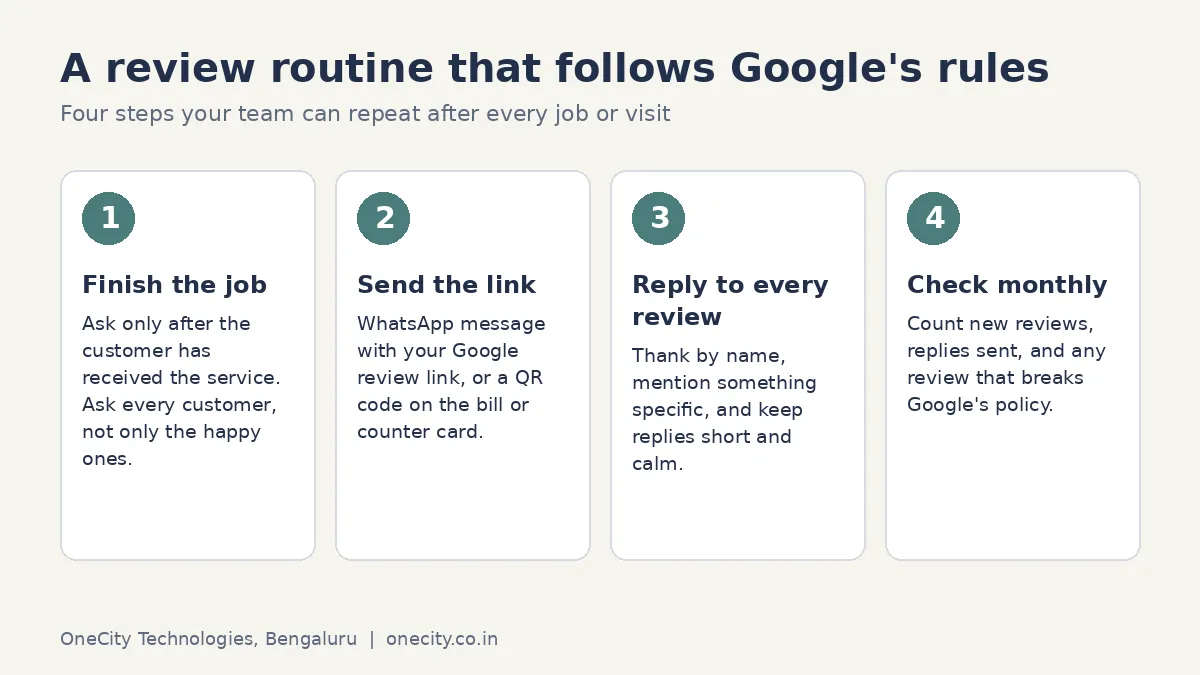
The best moment is straight after the customer has received the service and is satisfied with the result, which for most businesses means the same day. The right way is to ask everyone, in the same words, and to make it easy.
- Clinic or salon: send the link by WhatsApp when the customer leaves, or put the QR code at the billing counter.
- Restaurant or cafe: add the QR code to the bill folder or table card, and let guests choose.
- Home services and interior work: send the message when the job is handed over, with a photo of the finished work if the customer is happy for you to.
- Coaching or training: ask at the end of a course or a month, not on the first day.
- B2B and consulting: a personal email from the person who did the work, with the link, one week after delivery.
A WhatsApp message you can copy
Hello [customer name], thank you for choosing us. If you have a minute, an honest review on Google helps others in Bangalore decide. Here is the link: [your link]. Whatever your experience, we read every review. [Your name], [business name]
The message says nothing about a reward, does not ask for five stars, and does not pick who gets it. That is the whole point. Customers can write in English, Kannada, Hindi or any other language, and you can reply in the same language.
Step 3: Reply to every review
Google’s help page on managing reviews explains how to reply from Read reviews in your profile. It also says a reply usually takes up to 10 minutes to review before it appears, though sometimes it can take up to 30 days, and that customers can still change their review after reading your reply. So a calm, useful reply can actually change a rating.
For a good review, thank the customer by name, mention one thing they said, and invite them back. For a bad review, say sorry for the experience, state the facts in a line or two if you need to, and give a phone number or email so the matter can be settled offline. Do not argue, do not name staff, and do not share private details about the customer. Readers judge you by how you reply.

Step 4: Handle reviews that should not be there
You can flag a review that breaks Google’s content policy: spam, abuse, a competitor posting, someone who never used your service. Use the flag in your profile, keep a note of the date and the reason, and do not post a public argument. If the review is genuine but unfair, flagging will not work. Reply politely and move on. Google, not you, decides what is removed.
Never offer a customer money or a discount to change or delete a negative review. Google lists that as a violation too.
Mistakes we see in Indian local businesses
- Offering a free dessert, a discount or cash for five stars. The policy names exactly this. Do not do it, even as a small gesture.
- Asking only the customers you think are happy. This is review gating. Ask everyone.
- Staff and family posting from their own phones. It is a conflict of interest, and a cluster of reviews from people connected to you looks suspicious to Google and to readers.
- Buying a package of reviews. Reviews you buy are fake engagement. They can disappear, and they put the profile at risk.
- Setting a monthly review target for staff. The policy names staff quotas.
- Ignoring bad reviews. A thoughtful reply costs nothing and is read by every new customer.
- Sending the link to a wrong or incomplete profile. Fix the profile first. Our guide to creating a Google Business Profile covers set-up.
What Indian law says
I am not a lawyer, so treat this as background and not as legal advice. India’s Consumer Protection Act, 2019 deals with misleading advertisements and unfair trade practices, and fake reviews presented as genuine can fall under those headings. The Bureau of Indian Standards has also published a voluntary standard for online reviews, IS 19000:2022, aimed at platforms that publish them. Ask your own legal adviser if you have doubts. The practical advice is the same as Google’s: only publish reviews written by real customers, and do not trade rewards for them.
How many reviews is enough?
No one outside Google knows a magic number, and anyone quoting one is guessing. Look at the three businesses that rank above you for your main search, and compare how many reviews they have, how recent the latest ones are, and whether they reply. Match their pace. A few new reviews each week, with real detail such as the service, the area and the staff member, will do more than a burst that stops. Reviews that mention what you actually did, such as “replaced the compressor in Jayanagar”, give Google and customers more to work with than “great service”. You cannot script that, but you can ask: “If you can, mention what we did for you.”
What to track each month
- New reviews this month, and how many came through your link or QR code
- Replies sent, and the time taken to reply
- Your average rating and the share of reviews that mention a specific service
- Calls, direction requests and website clicks from your profile
- Any review flagged to Google, and what happened
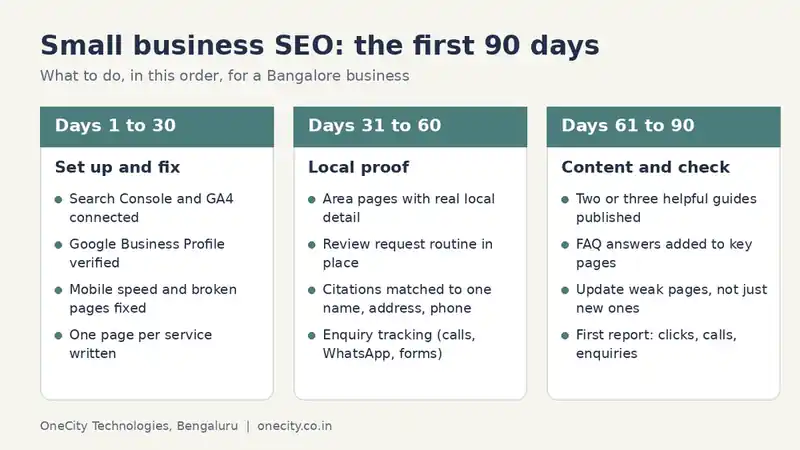
For a fuller monthly routine, see our small business SEO checklist for Bangalore.
Will reviews help you show up in AI answers?
AI assistants and Google’s own AI features draw on public information about a business, and reviews are part of what is public. A profile with recent, detailed, genuine reviews and the same name, address and phone number everywhere gives them more reliable facts to use. Nobody can guarantee a mention. For a plan that covers it, see our AI SEO services in Bangalore.
Do it yourself or get help?
If you have ten minutes a day, you can run this routine yourself. If you have several branches, a busy front desk, or a profile with problems, help makes sense. Review requests, replies, flags and reporting are part of the Local SEO work we do, and the cost is on our SEO pricing page. Our local SEO service page lists everything it covers, and a free audit will show what is wrong with your profile today.
Frequently asked questions
How many Google reviews does a business in India need?
There is no fixed number. Google compares you with nearby businesses, so look at the three above you and aim to match their pace and recency. A steady flow of recent reviews with real detail counts for more than a large total built in a single week. Ask every customer and reply to every review.
Can I ask customers for Google reviews?
Yes. Google lets businesses ask customers to review them, and gives you a link and a QR code for it. What you cannot do is offer anything in return, ask only happy customers, or discourage negative reviews. Ask everyone who used your service, in the same way, and accept what they write.
Can I give a discount for a Google review?
No. Google treats free or discounted goods or services in exchange for a review as fake engagement and strictly prohibits it. That includes rewards for changing or removing a negative review. A plain thank-you reply is fine. A gift or discount is not, even if you offer it after the review is posted.
How do I get a bad Google review removed?
You can flag a review only if it breaks Google’s content policy, for example spam, abuse, a conflict of interest or a review about an experience that never happened. Google decides whether to remove it. A review you simply disagree with stays. Reply politely and let future customers judge.
Why did my Google reviews disappear?
Google can remove reviews that it finds break its policy, including reviews that were paid for, posted by staff or relatives, or posted in bulk. Reviews can also be deleted by the reviewer or caught by its spam filters. If genuine reviews vanish, flag the issue through Business Profile support and keep copies.